How Dansky Mastered the Art of Design: A Fan's Guide to Adobe XD Tutorials and the Creative Process Behind the Performer
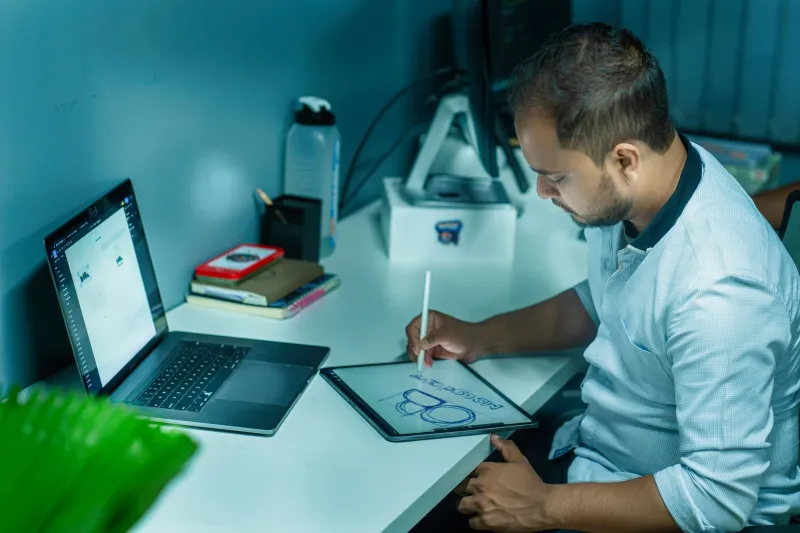
If you landed here looking for Adobe XD tutorials from Dansky, you're in exactly the right place — and honestly, you're in great company. Thousands of fans across the US and beyond have found their way into the world of design through Dansky's warm, no-nonsense teaching style. Whether you stumbled onto one of his videos at 2 a.m. while procrastinating on a project, or a friend sent you a link with a "you HAVE to watch this" message, you probably know the feeling: Dansky makes design feel doable.
At Forever Dansky, we celebrate everything that makes this creator a legend — and his Adobe XD tutorials are a huge part of that story. So let's dig in.
Who Is Dansky, Really?
For the uninitiated, Dansky — known to the wider internet as Daniel Scott, though the community has long rallied around his creative alias — built a reputation as one of the most accessible and genuinely helpful design educators on the web. His Adobe XD content, in particular, became a go-to resource for beginners who felt intimidated by design software and for intermediate users who wanted to level up without sitting through dry, corporate-style training videos.
What set him apart wasn't just the quality of the tutorials — it was the vibe. Dansky talks to you like a friend who happens to know a lot about UX and UI design. There's no gatekeeping, no jargon overload, and no sense that you need to already be a design professional to keep up. That accessibility is the cornerstone of why his community grew the way it did.
Adobe XD: The Tool That Helped Define an Era
For those who need a quick refresher: Adobe XD is Adobe's design and prototyping tool built specifically for UX/UI work. It became a major player in the design world as apps, websites, and digital products exploded in demand. Designers needed a tool that could handle wireframing, prototyping, and collaboration — and Adobe XD stepped up to fill that space.
Dansky's tutorials arrived at just the right time. As more people in the US started pivoting to design careers — whether through bootcamps, self-teaching, or side hustles — his content became a genuine lifeline. His Adobe XD walkthroughs covered everything from the absolute basics (how to set up an artboard, how to use components) to more advanced concepts like auto-animate, responsive resize, and building out full clickable prototypes.
What Made the Tutorials So Good?
Fans who've followed Dansky's design content consistently point to a few things that made his Adobe XD tutorials stand out in a crowded field.
Clarity without condescension. Dansky has this rare ability to explain complex design concepts in plain English without ever making the viewer feel talked down to. He assumes you're smart — he just also assumes you might be new to this particular tool. That balance is harder to strike than it sounds.
Real-world projects. Rather than walking through abstract exercises that feel disconnected from actual work, Dansky grounded his tutorials in realistic design scenarios. You weren't just learning features — you were building things that looked like the kind of work you'd actually show in a portfolio.
Pacing that respects your time. Nobody wants to sit through ten minutes of intro before getting to the good stuff. Dansky's tutorials move at a pace that keeps you engaged without leaving you behind.
A genuine sense of enthusiasm. You can tell he actually loves this stuff. That energy is contagious, and it makes a real difference when you're three hours deep into learning a new tool and starting to lose steam.
The Community That Grew Around the Content
One of the coolest things about Dansky's design tutorials is the community they sparked. Fans didn't just watch and move on — they shared their work, asked questions, helped each other troubleshoot, and celebrated wins together. That community spirit is something Forever Dansky recognizes as a core part of what makes following Dansky so rewarding, whether you came for the design content or discovered it along the way.
Across platforms, you'll find fans posting their first Adobe XD projects with captions like "finally finished my first prototype thanks to Dansky" or "couldn't have landed this design job without these tutorials." That kind of real-world impact is the mark of a creator who's doing something genuinely meaningful.
Getting Started With Adobe XD the Dansky Way
If you're new to Adobe XD and want to approach it the way Dansky teaches, here's a loose roadmap inspired by his approach:
-
Start with the interface. Get comfortable with the workspace before you try to build anything. Know where your tools live, how artboards work, and how to navigate the canvas.
-
Learn components early. Components (formerly called symbols in some tools) are one of Adobe XD's most powerful features. Dansky emphasizes these early because they save you enormous amounts of time once you understand them.
-
Build a simple app screen. Don't wait until you feel "ready" to start a real project. Pick a simple concept — a login screen, a music player, a to-do list — and build it out.
-
Add interactivity. Adobe XD's prototyping features let you link artboards together and create clickable flows. This is where the tool really shines, and it's where Dansky's tutorials get especially fun.
-
Share and get feedback. Adobe XD has built-in sharing and commenting features. Use them. Getting eyes on your work early is one of the fastest ways to improve.
Why This Side of Dansky Matters to Forever Dansky
Here at Forever Dansky, our whole mission is celebrating the legend — one fan at a time. And part of honoring that legacy means recognizing every dimension of what Dansky has contributed to the people who follow him. For a huge slice of the fan base, the entry point wasn't a live show or a viral moment — it was an Adobe XD tutorial that showed up in a search result at exactly the right moment.
That's the kind of impact that compounds over time. A fan who found Dansky through a design tutorial might have gone on to land a job, build a product, or launch a freelance career. Those are real, tangible life changes — and they're part of the Dansky story just as much as anything else.
So whether you're here because you're a longtime fan looking to explore a different side of the creator you love, or you're brand new and just trying to figure out Adobe XD, welcome. You're in the right place.
Keep Exploring
Forever Dansky is your home for everything related to the creator, the community, and the legacy. Dig into our Artist Deep-Dive archives to learn more about the decisions, the craft, and the moments that shaped who Dansky is — and keep an eye on our Fan Community section for the latest from the people who love his work most.